
Guide3 min read
Get started with Compliance
Open the Compliance Portal, set up owners, and start tracking controls, evidence, and risks in your Space.
Open the Compliance Portal
Sign in to Dashio, select the Space you want to manage, and choose Compliance Portal from the portal selector. You need to be a Space owner or administrator, and your Space needs an active Compliance subscription or granted access.
If you cannot open the portal, check the selected Space and your role. Access by request means your Space needs access before you can use the workspace. If you see Activation pending after checkout, refresh the subscription status from that screen.
Start with an owner, a control, and evidence
- Open Contacts and choose Create contact to add the person responsible for the work.
- Open Compliance & audit → Controls and create a control with a clear requirement, an owner, and a review due date.
- Open Evidence to request supporting material or submit it for internal review. Link it to the control and describe the systems and dates it covers.
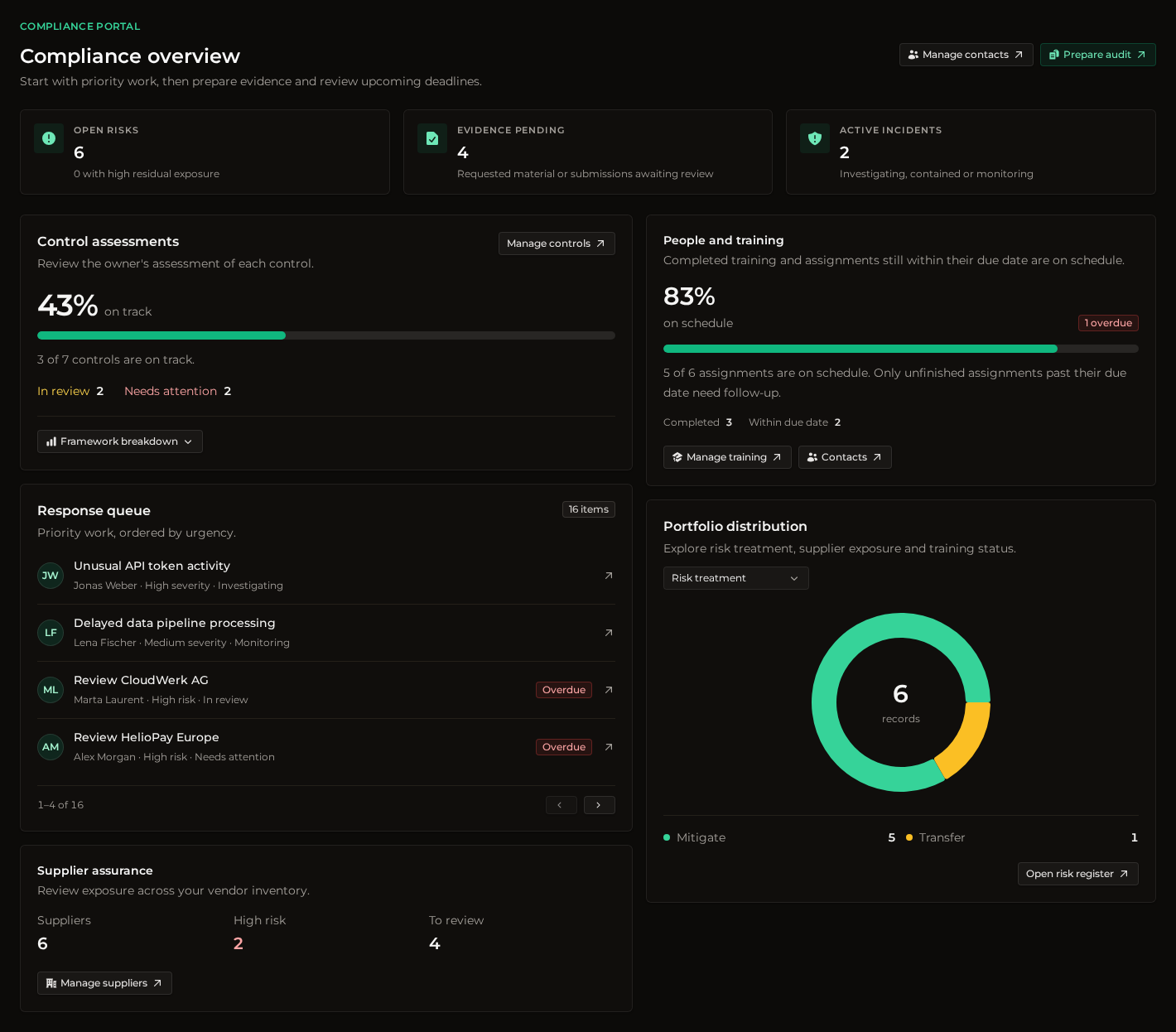
- Return to Overview. Control assessments shows declared control status. The Response queue surfaces work that needs attention, such as evidence to review or controls approaching their review date.
Choose your next task
- Manage controls and evidence to document a requirement and review supporting material.
- Track and treat risks to assign accountability, choose a treatment, and review exposure after safeguards are in place.
- Prepare an audit handoff to review gaps and export the agreed scope.
- Automate the Compliance Portal when you are ready to integrate with the API.
Was this helpful?